Budgets
Cap how much a team, and each person on it, can spend on inference by setting budgets on its LLM gateway policy. You manage budgets from the policy's Budgets tab.
Set per-policy and per-user budgets
Set budgets at two levels: a policy-wide budget that caps total spend on the policy, and a per-user budget that caps each user within the policy. That makes them a natural fit for managing a team's spend, because one policy can cap the team's total while keeping any single person from using all of it. From the Budgets tab you can set either budget, then update or remove it as your needs change. Reset the policy's spend from the policy-wide budget, or reset a single user's spend from their row under Individual Users. A reset applies to the current UTC calendar month.
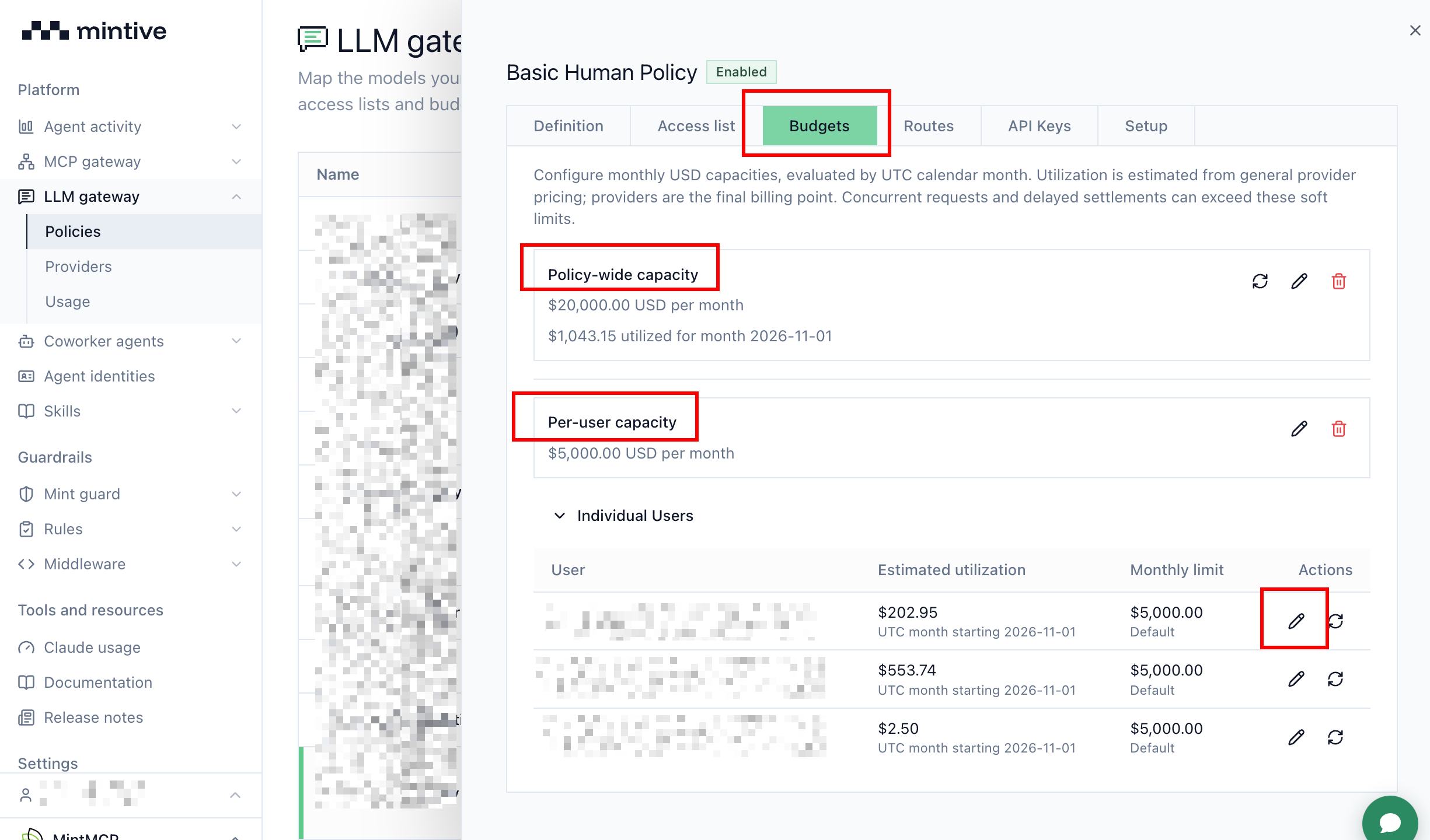
Override a user's budget
Override the per-user budget for an individual user when they have a special requirement such as an urgent investigation. Under Individual Users, edit that user's monthly limit. An override applies for the current UTC calendar month, then the user goes back to the policy's per-user budget.
What happens when a budget is exceeded
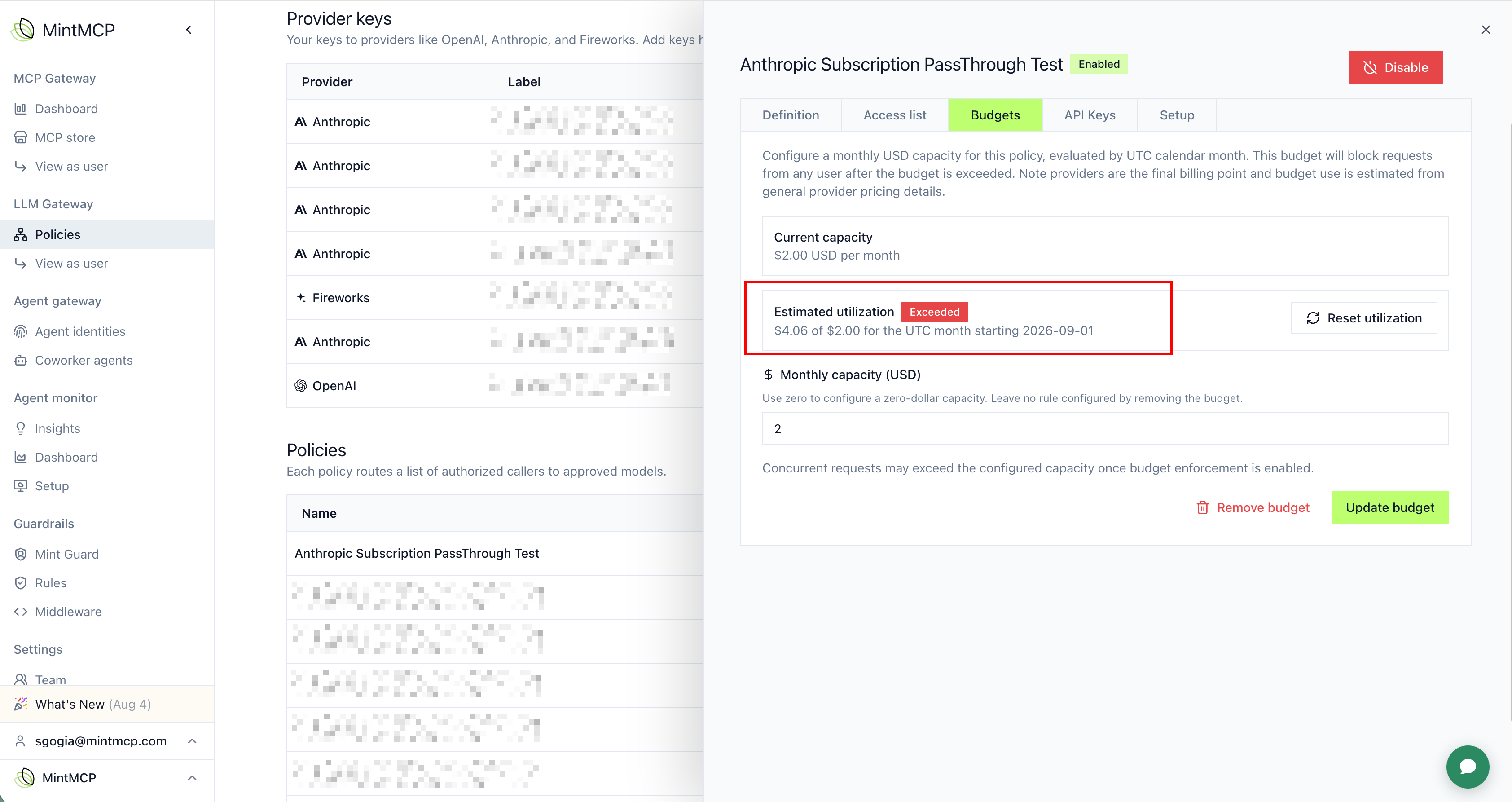
Once spend passes the policy budget or the user's individual budget, the gateway rejects new inference. A policy budget stops everyone on the policy, and a user's budget stops only that user. In Mintive (formerly MintMCP) the Budgets tab flags whichever budget ran out as Exceeded:
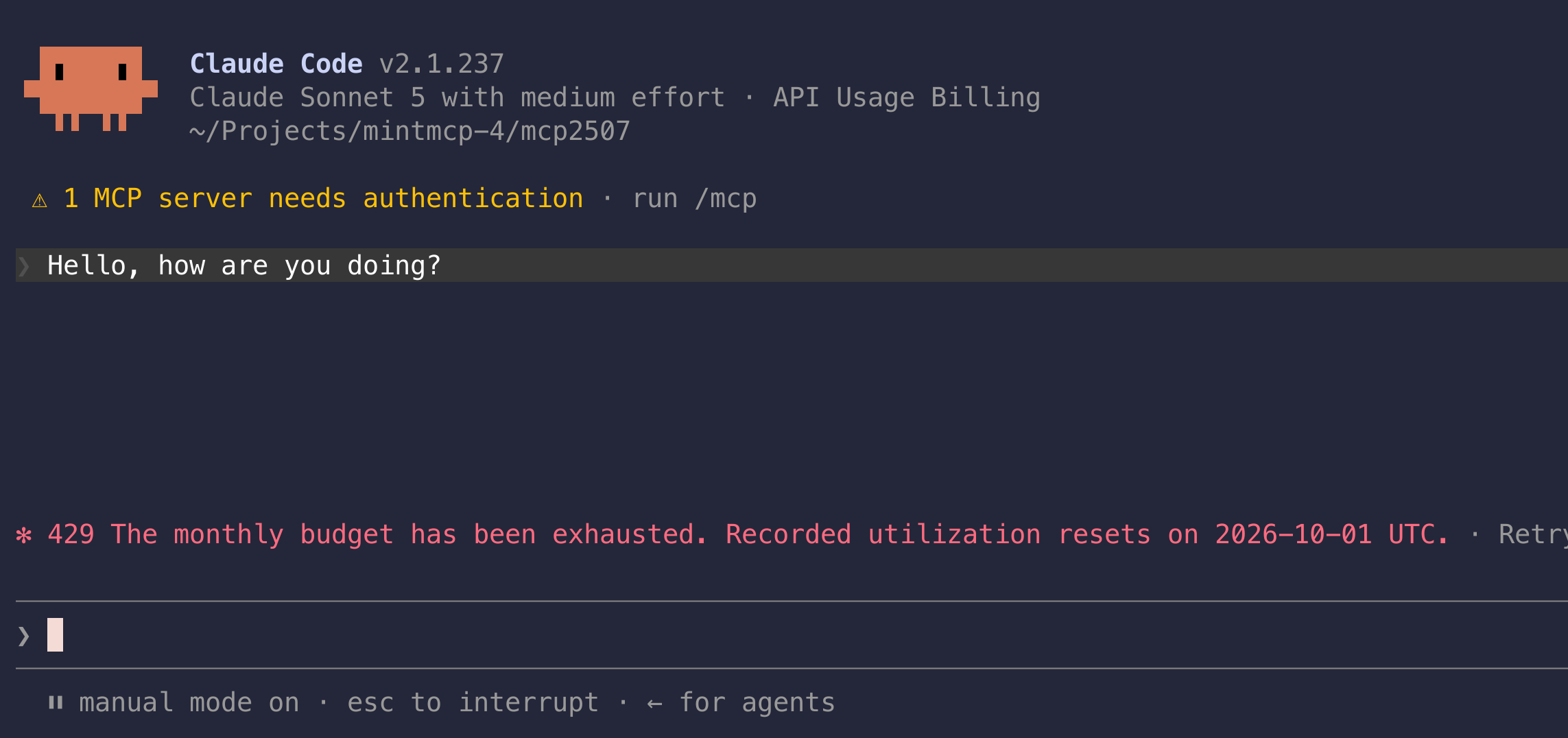
Agents get a 429 response on rejected calls, whether the policy budget or the user's budget ran out:
Auditing
Every budget change is recorded in the audit logs, so you have a trail of who set, updated, or reset a budget and when.
Notes and limitations
- Budgets are estimates, not provider bills. Mintive computes spend as calls happen, so there can be small differences from your provider's final invoice.
- Limits trigger after they are passed. A budget stops traffic once spend has crossed the limit, so the call that crosses it still goes through.
- Standard model pricing. Budgets use standard published model pricing. They do not account for provider-specific negotiated token rates, so a policy with a discounted contract will show higher spend than you are actually billed.