Get started with the LLM gateway
Connect a provider, create a policy that decides who can use which models, and run the installer to point your harnesses at Mintive (formerly MintMCP). Your next request then shows up in Mintive.
Prerequisites
- The LLM gateway enabled for your organization. It's in early access, so contact us to turn it on.
- The LLM gateway manage permission (Roles and permissions).
Connect a provider
If you use Claude subscription seats instead of a provider account, skip this section and link your subscription seats after you create the policy.
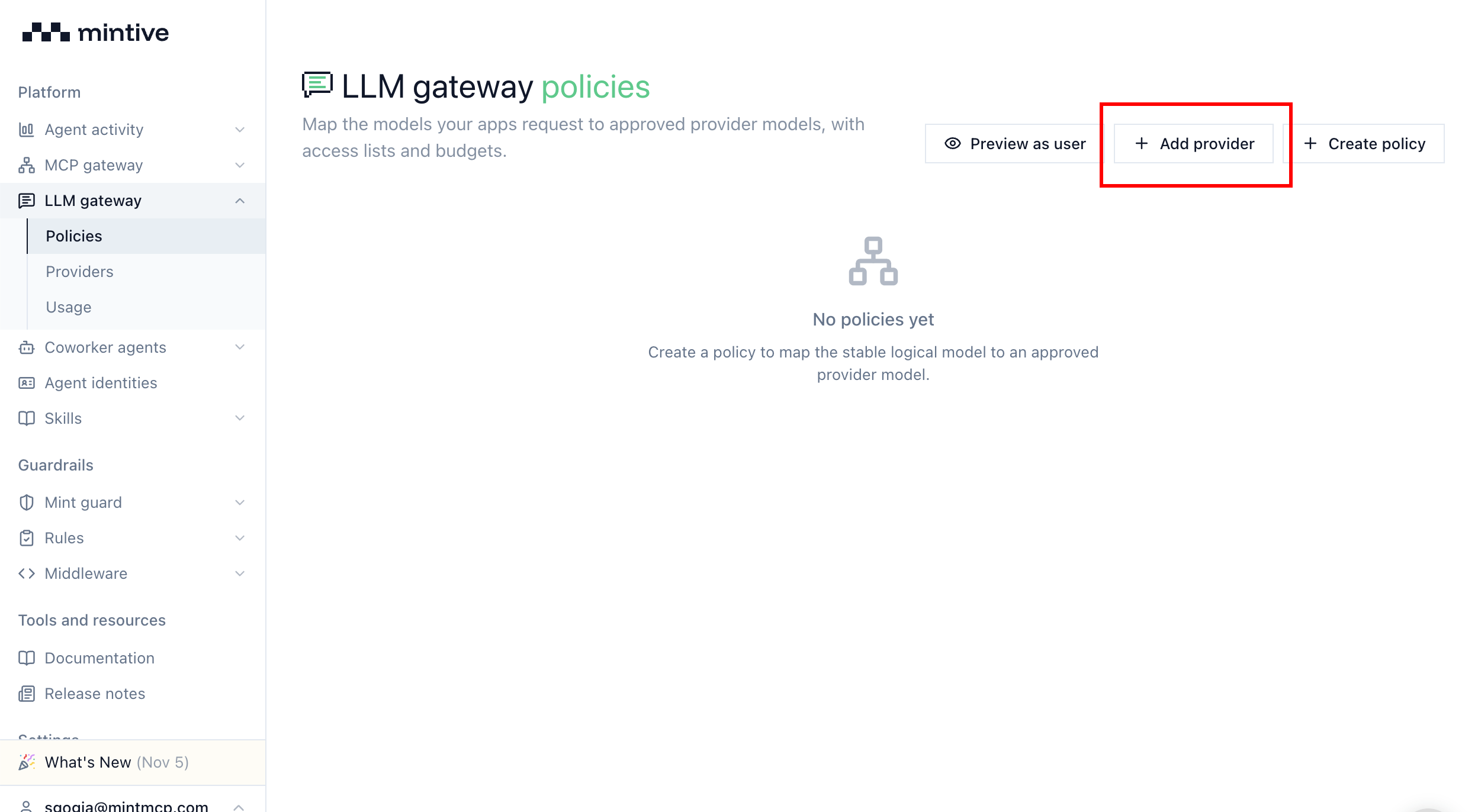
- Go to LLM gateway > Providers.
- Click Add provider.
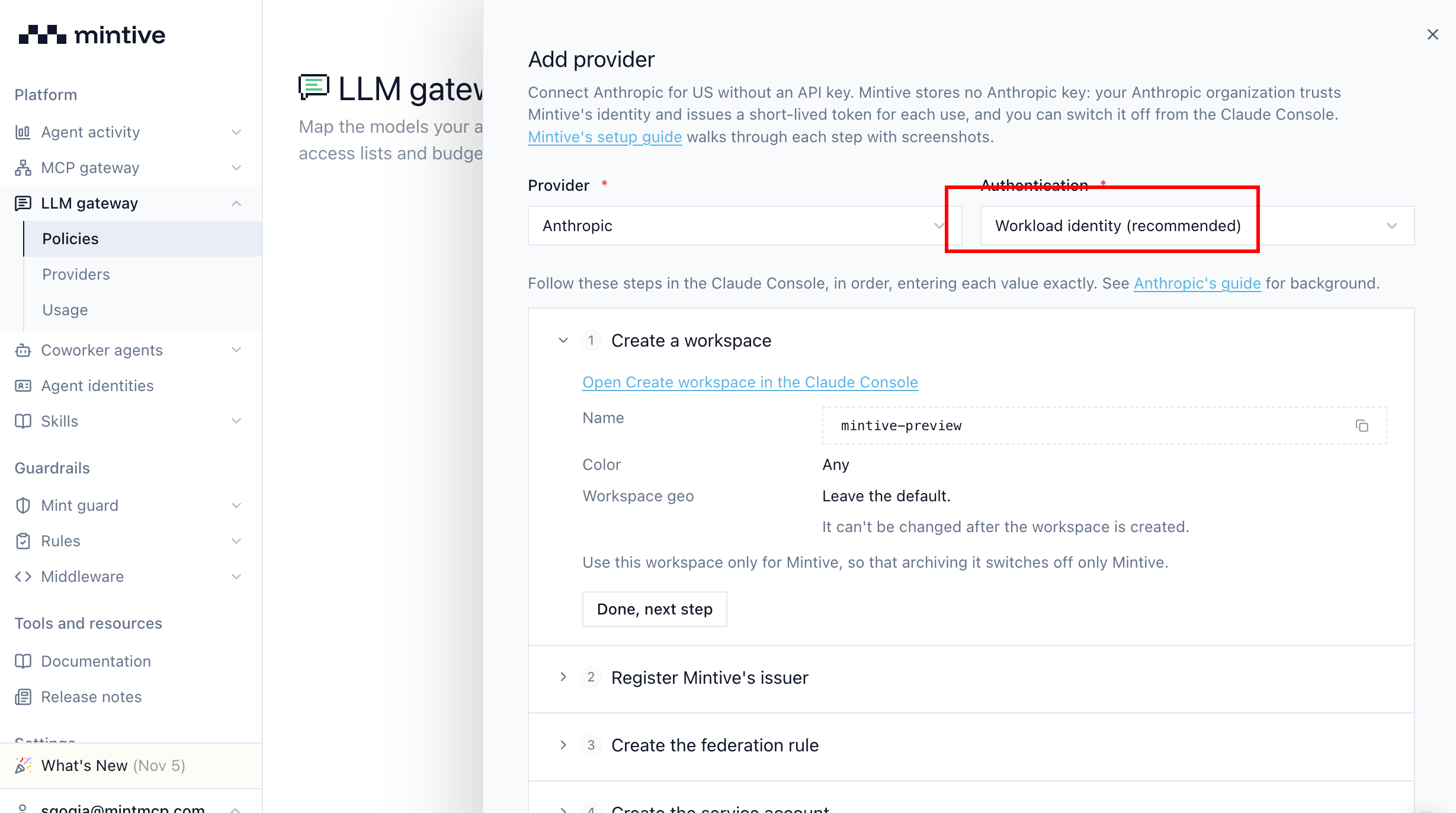
- Choose the provider and complete the connection form. We primarily support workload identity, so Mintive stores no long-lived provider key.
Create a policy
- Go to LLM gateway > Policies.
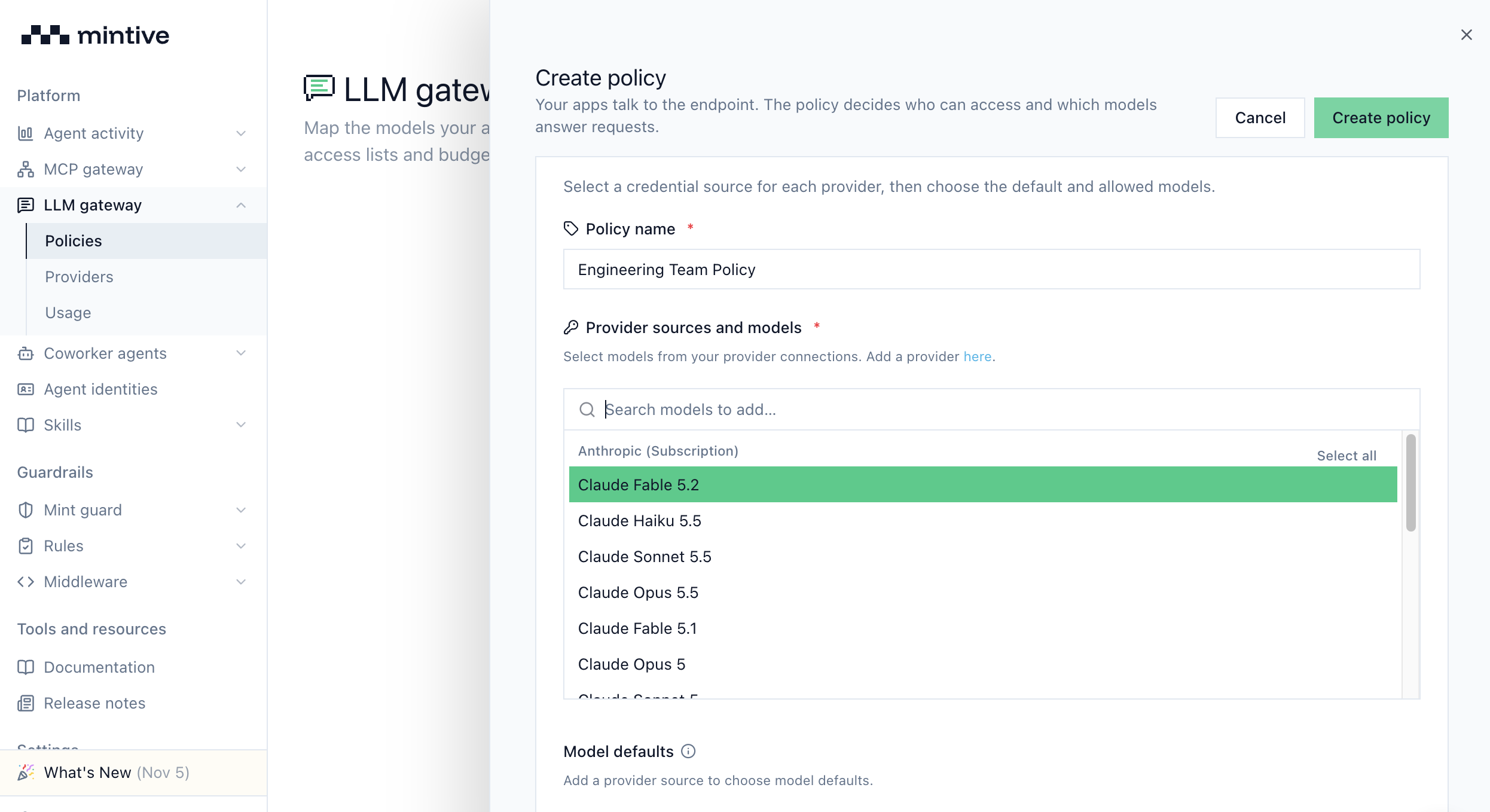
- Click Create policy to open the policy form.
- Name the policy and pick the models it allows under Provider sources and models.
- Click Create policy.
Until you grant access, only the policy's editors and org admins can use it. Add access control to open it to your team and budgets to cap spend.
Install for your harness
If you use Claude Desktop, turn on Developer Mode before you run the installer, then quit and reopen it afterwards. On Windows, use the PowerShell command in Local installer.
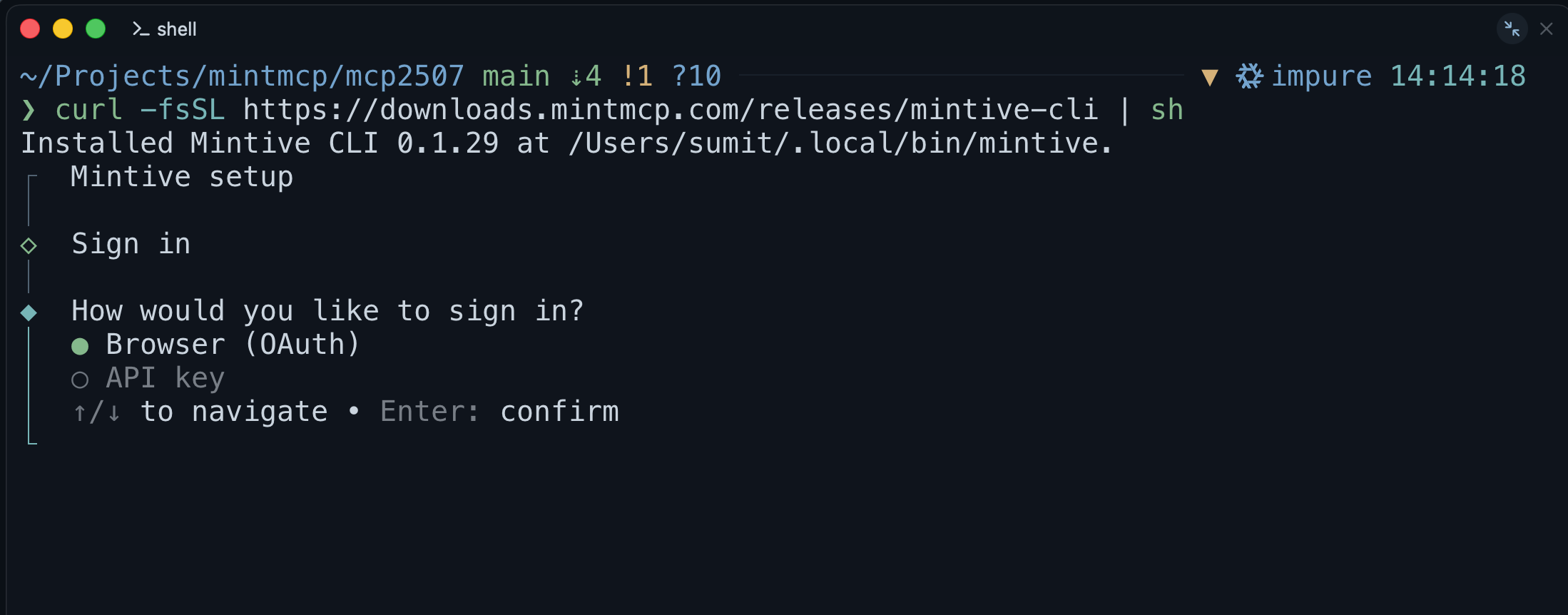
Run the installer to point your harnesses at the gateway. It signs you in, asks you to pick a policy, and configures the harnesses you choose:
curl -fsSL https://downloads.mintmcp.com/releases/mintive-cli | sh
Send inference through the gateway
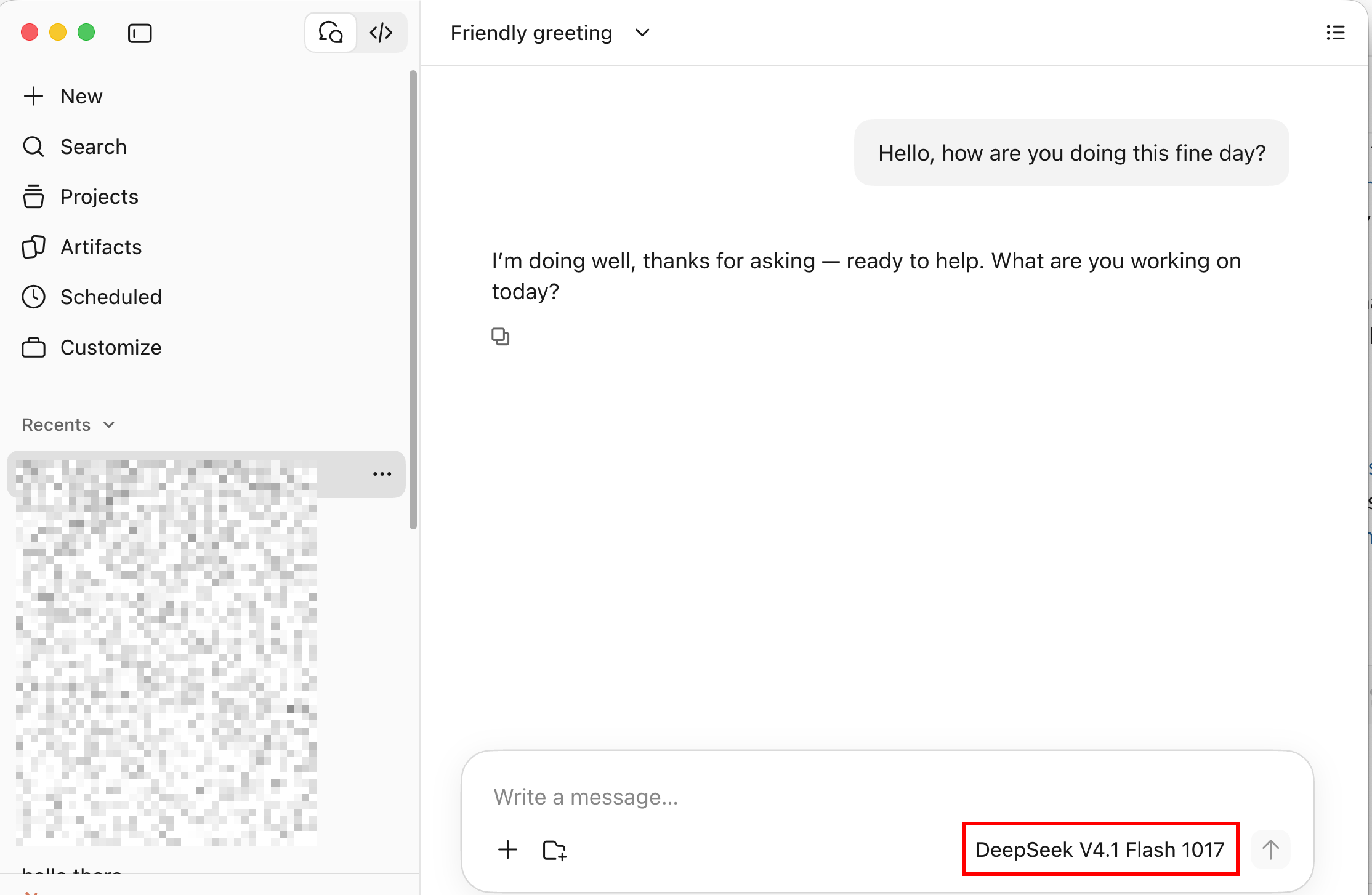
Your harnesses now send inference through Mintive, so pick any model your policy allows from the harness's model picker.
See usage and logs in Mintive
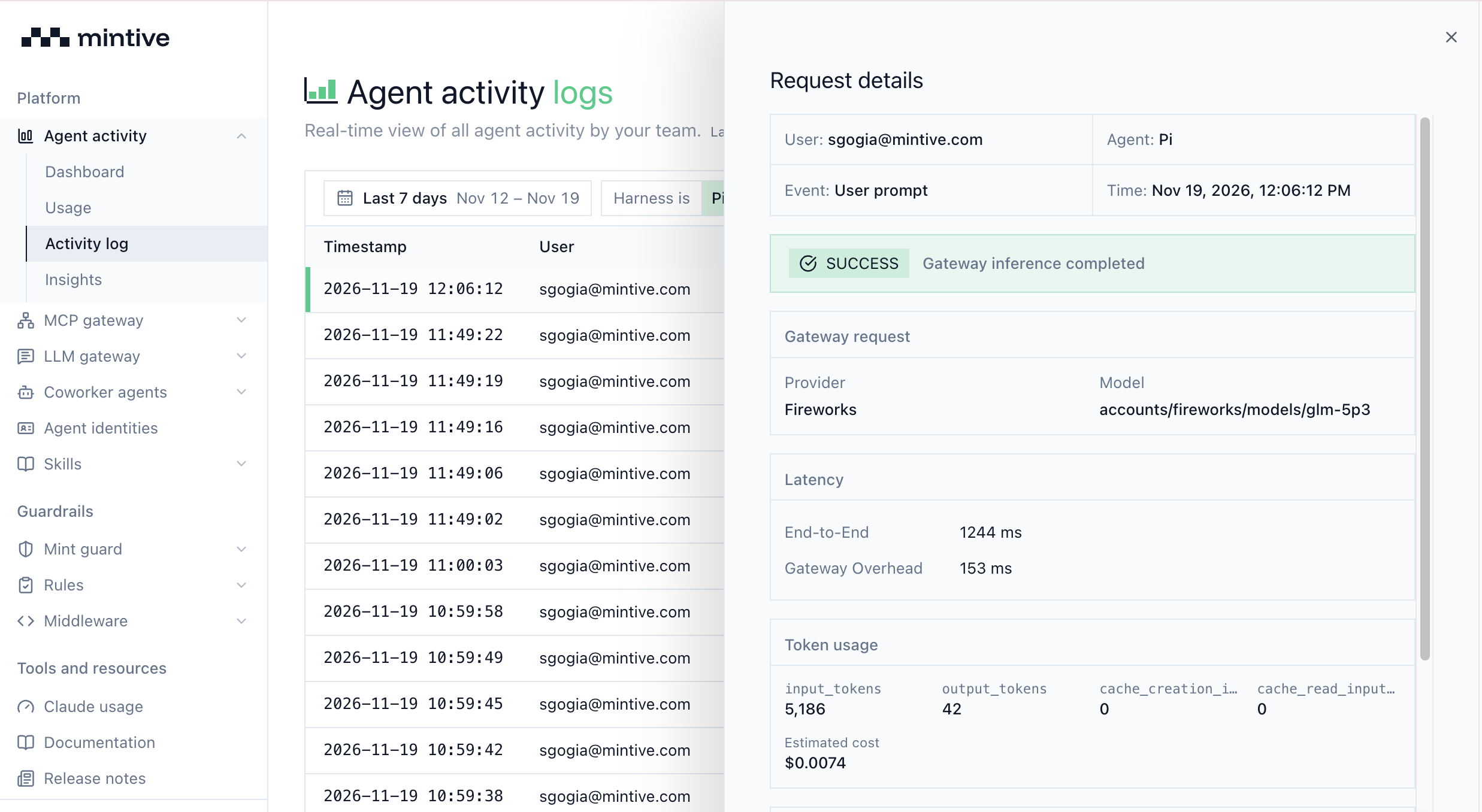
Each request shows up in Agent activity > Activity log with details such as cost and prompt previews.
Next steps
- Access control: grant teams and users access to a policy
- Budgets: cap and manage spend per policy and per user
- Model restrictions: choose which models a policy allows and set defaults
- Monitoring and analysis: review inference calls and usage
- MDM rollout: deploy the gateway setup to larger teams