Model restrictions
Restrict which models a policy allows, so a sudden surge of expensive calls to a model like Fable can't run up spend, and users who work with sensitive data stay on models your provider serves with zero data retention. You choose a policy's allowed models under Provider sources and models on its Definition tab:
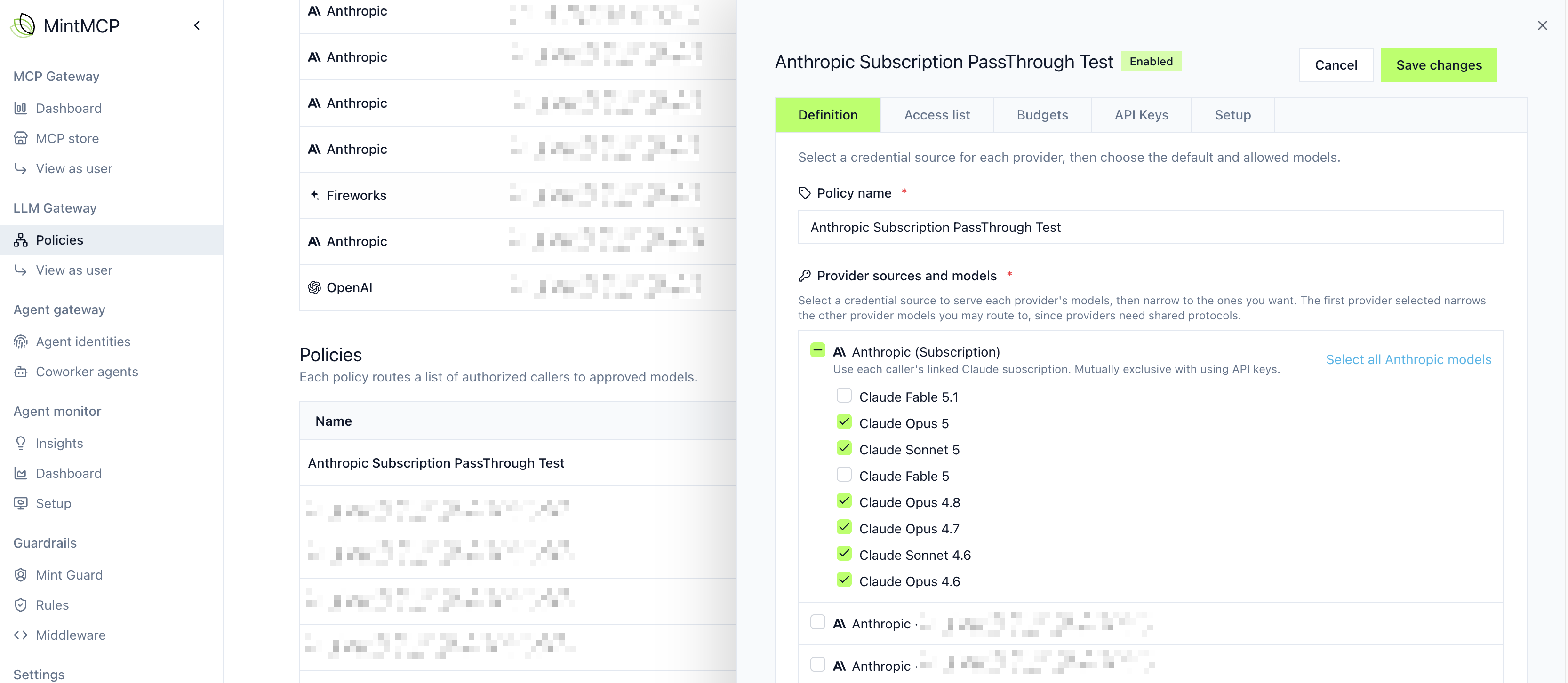
Add models from several providers to one policy so users can try different models.
Set a default model for each protocol
Choose a default model for each protocol (OpenAI Responses, Anthropic Messages, and OpenAI Chat Completions) on the policy's Definition tab, so users know which model they get unless they pick another. The installer sets these defaults in each harness it configures, and users can still select any other model the policy allows. Agents built with an SDK reach the default by requesting mintmcp/inference (see Agent SDKs).
What happens when a model isn't allowed
A call that requests a model outside the policy's allowed set gets a 403 response with an error saying the model was not found.
Auditing
Every change to a policy's allowed models or default models is recorded in the audit logs with the values before and after, so you have a trail of who changed which models a policy allows and when.
Next steps
- Provider and model catalog: see which providers and models you can add
- Budgets: cap spend for the policy and each user
- Access control: choose who can use the policy