Gateway rate limits
Cap how many tool calls go through a Virtual MCP (VMCP), so one runaway agent or user can't flood a connector or run up usage on the upstream service. Each limit counts calls per minute, hour, or day, for each caller separately or for everyone on the VMCP combined, and covers either every tool or one connector's tools.
Rate limits are available on request. Contact enterprise@mintive.com to turn them on for your organization.
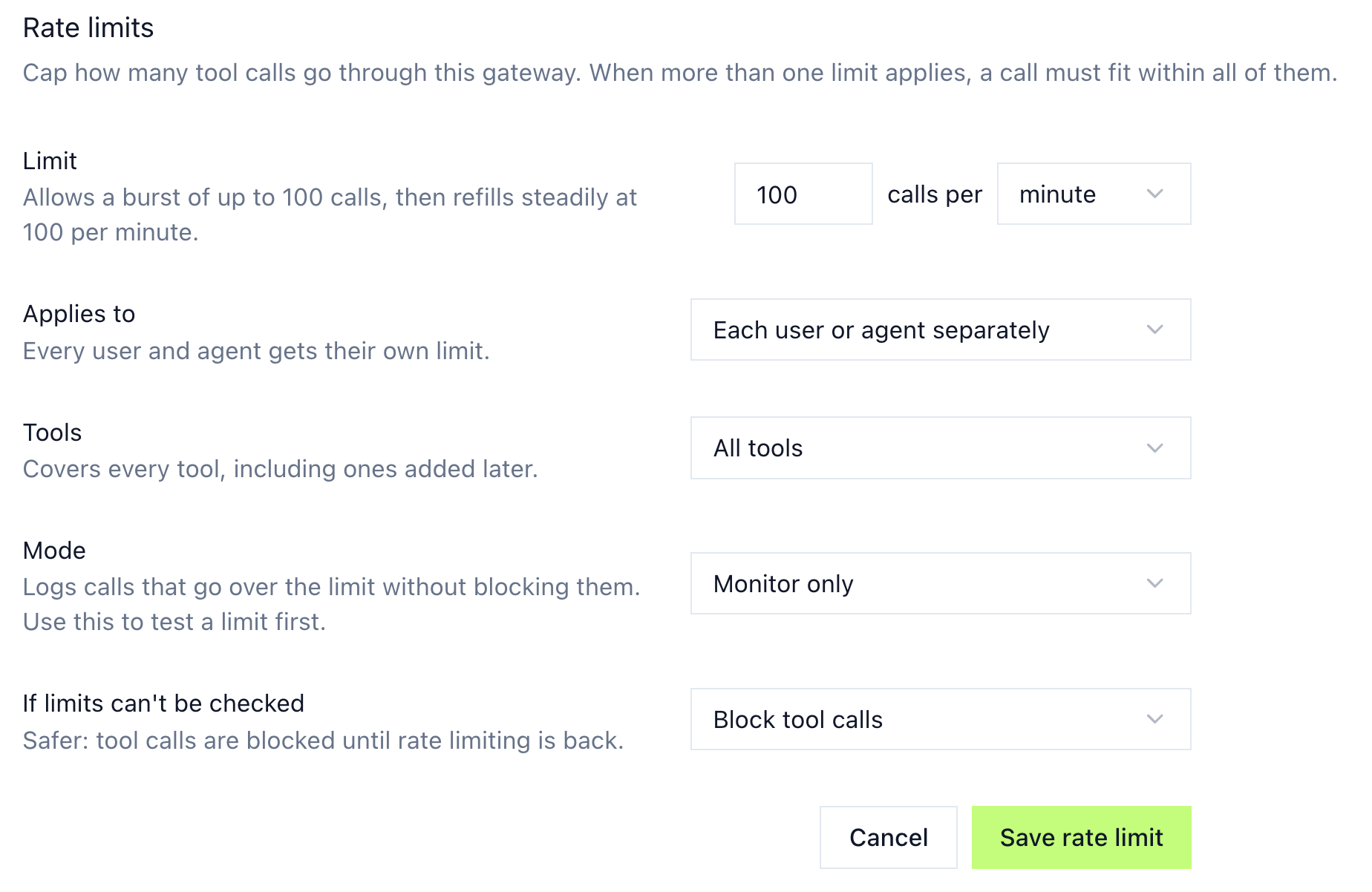
Add a rate limit
- Go to Manage store in the sidebar.
- Click the Virtual MCP you want to limit.
- Select the Middleware tab.
- In the Rate limits card, click Add rate limit.
- Set the limit, who it applies to, which tools it covers, and the mode.
- Click Save rate limit.
The Middleware tab shows when you have Can Edit access on the VMCP and permission to view guardrails. Agent identity gateways have the same tab.
Saved limits are listed in the card, each with Edit and Remove. Removing a limit stops checking it, and its history is kept.
Rate limit settings
| Setting | Options | What it does |
|---|---|---|
| Limit | 1 to 1,000,000,000 calls per minute, hour, or day | Allows a burst of up to the limit, then refills steadily over the period. At 100 calls per minute, 100 calls can go through at once, and after that one more is allowed about every 0.6 seconds. |
| Applies to | Each user or agent separately (default), Everyone combined | Separately gives every user and agent their own count. Combined puts all callers on the VMCP on one shared count, so one heavy caller can use up the limit for everyone. |
| Tools | All tools (default), or a connector on the VMCP | All tools covers every tool, including ones added later. Pick a connector to limit only its calls, then optionally narrow it to specific tools. The covered tools share one count rather than getting a limit each. |
| Mode | Disabled, Monitor only (default), Enforce | Disabled doesn't check the limit. Monitor only logs calls that go over the limit without blocking them. Enforce blocks them. |
| If limits can't be checked | Block tool calls (default), Allow tool calls | Decides what happens to covered calls if Mintive can't check the limit. Block holds tool calls until rate limiting is back. Allow lets them through unlimited in the meantime. |
Test a limit before enforcing it
New limits start in Monitor only, so you can see who would hit the limit before anyone is blocked. Calls that go over still reach the connector, and the over-limit decision is recorded with the tool call in the audit trail.
When the numbers look right, edit the limit and set Mode to Enforce. Enforce keeps its own count, separate from Monitor only, so calls counted while monitoring don't count against the enforced limit.
What callers see when a limit is reached
In Enforce mode, a call over the limit doesn't reach the connector. The agent gets an error that says when to retry:
Tool call rate limit reached. Try again in 12 seconds.
If Mintive can't check the limit and If limits can't be checked is set to Block tool calls, covered calls fail with:
Tool call blocked because the rate limit service is unavailable. Please retry later.
Choose Block tool calls when the limit protects something that must not be overrun, such as a paid upstream API or a production system. Choose Allow tool calls when keeping tools available matters more than the cap.
Combine multiple limits
A VMCP can have more than one limit, and a call must fit within every limit that covers it. For example, 60 calls per minute for each user or agent plus 5,000 calls per day for everyone combined lets each person work at a steady pace while capping the VMCP's total daily load. A call that would exceed either limit is blocked.
Related documentation
- Gateway middleware: run your own JavaScript on tool calls when you need logic beyond a count.
- Compare guardrails: pick between rules, middleware, and Mint Guard.
- MCP gateway administration: grant the Can Edit access that managing a VMCP's limits requires.
- Audit and observability: where tool calls and their guardrail decisions are recorded.