Building AI-powered React applications requires secure connections to data sources and tools, but traditional integration approaches create fragmentation and security gaps. The Model Context Protocol provides a standardized way to connect React frontends with AI capabilities, yet deploying these integrations at enterprise scale demands proper infrastructure. This guide shows engineering teams how to build React applications that securely access MCP tools through proper gateway architecture, authentication controls, and compliance-ready monitoring.
Key takeaways
- MCP standardizes how React applications connect to AI tools and data sources, eliminating custom integration code for each AI service
- The
use-mcpReact library enables three-line integration with MCP servers but lacks enterprise security features for production deployments - Enterprise React applications require centralized authentication, audit trails, and access controls that local MCP connections cannot provide
- The Mintive (formerly MintMCP) gateway architecture enables secure React-to-MCP connections with OAuth protection, tool governance, and comprehensive logging
- React apps can connect to MCP tools through SSE or HTTP transports, with Mintive handling authentication and request routing automatically
- Virtual MCP servers allow team-specific tool access control, preventing over-privileging while maintaining development velocity
- Production React deployments require SOC2-compliant infrastructure with monitoring, rate limiting, and real-time security controls
What is MCP and why React applications need IT
The Model Context Protocol is an open standard that enables applications to provide tools, data, and context to AI systems through a unified interface. For React developers, this means AI agents can access your application's functionality without building custom API wrappers for each AI service you integrate.
Traditional React-to-AI integrations follow a fragmented pattern. Every AI feature requires custom authentication, API endpoints, and maintenance overhead. When you need Claude, ChatGPT, and internal AI agents to access the same application data, you maintain three separate integrations with different security models and no unified audit trail.
MCP solves this by acting as a bridge between React frontends and AI capabilities. MCP servers expose application functionality as standardized tools. AI clients invoke these tools through the protocol without requiring knowledge of your implementation details. This standardization reduces integration complexity while improving security and maintainability.
The React MCP integration challenge
React applications face unique challenges when integrating with MCP servers:
Browser Security Constraints
- Cannot run STDIO-based MCP servers directly in browser
- CORS restrictions limit direct server connections
- WebSocket and SSE transports require proper security configuration
- Credential storage in browser environments creates exposure risks
Development Workflow Requirements
- Hot reload must work with MCP connections
- Local development needs different configuration than production
- Multiple developers require isolated MCP server instances
- Testing requires mocking MCP tool responses
Production Deployment Needs
- Centralized authentication across team members
- Rate limiting to prevent abuse
- Comprehensive audit trails for compliance
- High availability and fault tolerance
- Geographic distribution for low latency
Why standard React-MCP libraries fall short for enterprise
The use-mcp library from the MCP community provides a simple React hook for connecting to MCP servers. While excellent for prototyping, it lacks essential enterprise features:
- No Centralized Authentication: Each developer manages their own MCP server credentials
- Missing Audit Capabilities: Zero visibility into which tools are called or by whom
- Limited Access Controls: Cannot enforce team-specific tool permissions
- No Compliance Features: Lacks logging required for SOC2, HIPAA, or GDPR
- Poor Observability: No monitoring of performance, errors, or usage patterns
Enterprise deployments require infrastructure that provides authentication, authorization, audit logging, and governance controls—capabilities that client-side libraries alone cannot deliver.
Mintive gateway architecture for React applications
Mintive's enterprise gateway solves React-to-MCP integration challenges by running MCP servers in managed infrastructure with centralized security controls. Rather than connecting React apps directly to MCP servers, the gateway acts as a secure proxy layer.
How the gateway enables React integration
The gateway architecture provides several key capabilities for React applications:
- Remote MCP Server Support: React apps connect to gateway-hosted MCP servers over HTTP/SSE transports compatible with browser environments
- OAuth Integration: Users authenticate once with the gateway, which manages downstream MCP server credentials
- Tool Governance: Virtual MCP servers bundle curated tool collections for different teams
- Request Routing: The gateway routes tool calls from React apps to appropriate MCP servers with authentication handled automatically
- Comprehensive Logging: Every interaction flows through Mintive, creating audit trails for compliance
This architecture enables React applications to access AI tools securely while maintaining the developer experience of simple hook-based integration.
Three deployment patterns for React MCP integration
Mintive supports three approaches to deploying MCP servers for React applications:
Remote MCP Connectors
Point your React app at remote MCP servers hosted externally. This provides the easiest setup with automatic updates and minimal operational overhead. Use remote connectors when you can rely on third-party hosted services.
Hosted MCP Connectors
Supply standard MCP server configurations and let Mintive run them in managed infrastructure. This gives you control over server versions and settings while Mintive handles container lifecycle, scaling, and monitoring. Hosted connectors work well when you need specific configurations or custom MCP servers.
Custom MCP Connectors
Build and deploy your own MCP server implementations with custom functionality. Package artifacts and deploy onto Mintive's managed runtime for complete control over features and integration logic. Use custom connectors when extending MCP with application-specific tools.
All three patterns enforce the same authentication, authorization, and logging policies through the gateway architecture.
Building a React app with secure MCP access
This section walks through building a React application that securely accesses MCP tools through Mintive's gateway. We'll use the use-mcp library for client-side integration while relying on Mintive for enterprise security.
Prerequisites
Before starting, ensure you have:
- React 18+ application (Create React App, Next.js, or Vite)
- Mintive account with administrator privileges
- Node.js 18+ and npm or yarn
- Understanding of React hooks and context providers
- MCP server you want to integrate (hosted or custom)
Installing the React MCP library
Install the use-mcp library in your React project:
npm install use-mcp @modelcontextprotocol/sdk
The library provides a React hook that handles MCP server connections, authentication flows, and tool execution. It supports both SSE and HTTP transports for browser-compatible communication.
Configuring MCP connectors in Mintive
Before your React app can connect to MCP tools, configure connectors in the Mintive console:
- Add Connector
- Navigate to MCP Connectors section
- Click "Add Connector"
- Select deployment type (Remote, Hosted, or Custom)
- Configure Server Settings
For a hosted database connector example:
{
  "mcpServers": {
    "database": {
      "command": "npx",
      "args": [
        "-y",
        "@modelcontextprotocol/server-postgres"
      ],
      "env": {
        "POSTGRES_CONNECTION_STRING": "<connection-string>"
      }
    }
  }
}
- Set Environment Variable Scopes
POSTGRES_CONNECTION_STRING: Set to "Per-User" for individual credentials or "Global" for shared service account- Additional config variables as needed per your MCP server
- Deploy and Verify
- Click "Save" to trigger deployment
- Monitor connector logs for successful startup
- Verify available tools appear in connector details
For production deployments, use environment-specific configurations and rotate credentials regularly.
Creating virtual MCP servers for React apps
With connectors deployed, create Virtual MCP servers that bundle tools for your React application:
Frontend Team Virtual Server
Create a Virtual MCP server for frontend developers:
- Navigate to Virtual MCP Servers in Mintive console
- Click "Create Virtual Server"
- Name it "React App - Development Tools"
- Add your MCP connectors (database, API, etc.)
- Configure tool customization to expose only required capabilities
- Set allowed team members
Production Application Virtual Server
Create a separate Virtual MCP server for production:
- Create new Virtual Server named "React App - Production"
- Add the same connectors with production credentials
- Enable only tools needed by production features
- Block risky tool calls with Agent Monitor rules
- Configure monitoring and alerting
This separation ensures development environments cannot impact production data while maintaining consistent tool interfaces.
Implementing MCP integration in React components
Create a context provider to manage MCP connections throughout your React application:
// providers/McpProvider.tsx
import { createContext, useContext, ReactNode } from 'react';
import { useMcp } from 'use-mcp';

interface McpContextValue {
  isConnected: boolean;
  tools: any[];
  callTool: (name: string, args: any) => Promise<any>;
  error: Error | null;
}

const McpContext = createContext<McpContextValue | null>(null);

export function McpProvider({ children }: { children: ReactNode }) {
  const {
    isConnected,
    tools,
    callTool,
    error
  } = useMcp({
    serverUrl: process.env.REACT_APP_VMCP_URL!,
    transport: 'sse',
    onAuthRequired: async () => {
      // Mintive handles OAuth flow
      window.location.href = `${process.env.REACT_APP_VMCP_URL}/auth`;
    },
    debug: process.env.NODE_ENV === 'development'
  });

  return (
    <McpContext.Provider value={{ isConnected, tools, callTool, error }}>
      {children}
    </McpContext.Provider>
  );
}

export function useMcpContext() {
  const context = useContext(McpContext);
  if (!context) {
    throw new Error('useMcpContext must be used within McpProvider');
  }
  return context;
}
Wrap your application with the provider:
// App.tsx
import { McpProvider } from './providers/McpProvider';
import Dashboard from './components/Dashboard';

function App() {
  return (
    <McpProvider>
      <Dashboard />
    </McpProvider>
  );
}

export default App;
Building components that use MCP tools
Create React components that invoke MCP tools through the context:
// components/DataQuery.tsx
import { useState } from 'react';
import { useMcpContext } from '../providers/McpProvider';

export function DataQuery() {
  const { callTool, isConnected } = useMcpContext();
  const [query, setQuery] = useState('');
  const [results, setResults] = useState<any>(null);
  const [loading, setLoading] = useState(false);

  const executeQuery = async () => {
    if (!query.trim()) return;

    setLoading(true);
    try {
      const response = await callTool('database_query', {
        sql: query,
        limit: 100
      });
      setResults(response);
    } catch (error) {
      console.error('Query failed:', error);
    } finally {
      setLoading(false);
    }
  };

  if (!isConnected) {
    return <div>Connecting to MCP server...</div>;
  }

  return (
    <div className="data-query">
      <textarea
        value={query}
        onChange={(e) => setQuery(e.target.value)}
        placeholder="Enter SQL query..."
        rows={5}
      />
      <button onClick={executeQuery} disabled={loading}>
        {loading ? 'Executing...' : 'Run Query'}
      </button>
      {results && (
        <div className="results">
          <pre>{JSON.stringify(results, null, 2)}</pre>
        </div>
      )}
    </div>
  );
}
This pattern enables any component to access MCP tools while Mintive handles authentication, authorization, and logging behind the scenes.
Handling OAuth authentication flow
Mintive uses OAuth 2.0 for user authentication. Configure an OAuth callback route in your React application:
// pages/oauth/callback.tsx (Next.js example)
import { useEffect } from 'react';
import { onMcpAuthorization } from 'use-mcp';

export default function OAuthCallback() {
  useEffect(() => {
    onMcpAuthorization();
  }, []);

  return (
    <div>
      <h1>Authenticating...</h1>
      <p>This window should close automatically.</p>
    </div>
  );
}
For Create React App or Vite:
// App.tsx with React Router
import { BrowserRouter, Routes, Route } from 'react-router-dom';
import { useEffect } from 'react';
import { onMcpAuthorization } from 'use-mcp';

function OAuthCallback() {
  useEffect(() => {
    onMcpAuthorization();
  }, []);

  return (
    <div>
      <h1>Authenticating...</h1>
      <p>This window should close automatically.</p>
    </div>
  );
}

function App() {
  return (
    <BrowserRouter>
      <Routes>
        <Route path="/oauth/callback" element={<OAuthCallback />} />
        <Route path="/" element={<MainApp />} />
      </Routes>
    </BrowserRouter>
  );
}
Register this callback URL in your Mintive OAuth configuration to complete the authentication flow.
Implementing enterprise security controls
React applications accessing MCP tools require multiple layers of security beyond basic authentication. Mintive provides comprehensive controls to protect enterprise deployments.
Authentication strategy for React applications
Enterprise React apps should follow a staged authentication approach:
Stage 1: Development with API Keys
Initial development can use simplified authentication:
- Configure Mintive connectors with development credentials
- Store Virtual MCP URLs in environment variables
- Use
REACT_APP_VMCP_URLfor Create React App orNEXT_PUBLIC_VMCP_URLfor Next.js - Plan migration to OAuth before production deployment
Stage 2: OAuth 2.0 for Production
Production React applications require proper OAuth flows:
- Configure Mintive OAuth integration with your identity provider
- Users authenticate with corporate credentials
- Mintive issues tokens automatically
- React app includes tokens in MCP requests
- Full audit trail shows which user performed each action
Stage 3: SSO Integration
Large enterprises with centralized identity management:
- Integrate Mintive with Okta, Azure AD, or other identity providers
- Users authenticate once with SSO credentials
- Mintive obtains MCP server tokens through configured flows
- Access revocation happens at identity provider level
- Complete compliance with corporate identity policies
Mintive's authentication architecture supports all three stages with seamless migration paths.
Implementing tool governance in React apps
Not all React application features require access to all MCP tools. Virtual MCP servers enable fine-grained access control:
Feature-Based Tool Collections
Create separate Virtual MCP servers for different application areas:
- Analytics Dashboard: Read-only database queries, reporting tools
- Data Management: Full CRUD operations, admin functions
- User Profile: Limited user-specific data access
- External Integrations: Third-party API connectors only
Configure your React app to use different Virtual MCP URLs based on authenticated user roles:
const getVmcpUrl = (userRole: string) => {
  switch(userRole) {
    case 'admin':
      return process.env.REACT_APP_VMCP_ADMIN_URL;
    case 'analyst':
      return process.env.REACT_APP_VMCP_ANALYTICS_URL;
    default:
      return process.env.REACT_APP_VMCP_USER_URL;
  }
};
Real-Time Security Rules
Mintive's Agent Monitor rules enable blocking dangerous operations:
- Prevent destructive database operations in production
- Block access to sensitive data tables
- Rate limit expensive queries
- Flag suspicious activity patterns
Configure rules through the Mintive console at the gateway level, applying consistent policies across all React application instances.
Audit and compliance for React applications
React applications accessing enterprise data require comprehensive logging for compliance frameworks:
SOC2 Type II Compliance
Mintive provides SOC2 compliance through:
- Detailed logging of all tool invocations from React apps
- User attribution for every MCP tool call
- Access control enforcement with role-based permissions
- Change management for connector and Virtual MCP updates
- Incident response with alerting capabilities
GDPR Compliance
Organizations with EU users need:
- Right to erasure implementation for user data
- Data portability through export capabilities
- Privacy by design with minimized data collection
- Geographic restrictions for cross-border transfers
Mintive's audit and observability features automatically generate compliance reports demonstrating proper access controls and data handling.
React application patterns with MCP tools
MCP integration enables powerful patterns in React applications that were previously difficult to implement securely.
Ai-powered search and data access
React applications can provide natural language interfaces to enterprise data:
// components/AISearch.tsx
import { useState } from 'react';
import { useMcpContext } from '../providers/McpProvider';

export function AISearch() {
  const { callTool } = useMcpContext();
  const [query, setQuery] = useState('');
  const [results, setResults] = useState([]);

  const handleSearch = async () => {
    // AI agent translates natural language to SQL
    const sqlQuery = await callTool('generate_sql', {
      prompt: query,
      schema: 'public'
    });

    // Execute generated query
    const data = await callTool('execute_query', {
      sql: sqlQuery.result
    });

    setResults(data.rows);
  };

  return (
    <div>
      <input
        type="text"
        value={query}
        onChange={(e) => setQuery(e.target.value)}
        placeholder="Ask about your data..."
      />
      <button onClick={handleSearch}>Search</button>
      <ResultsTable data={results} />
    </div>
  );
}
This pattern allows non-technical users to query complex databases through conversational interfaces.
Automated workflow execution
React apps can trigger complex workflows through MCP tools:
// components/WorkflowTrigger.tsx
export function WorkflowTrigger() {
  const { callTool } = useMcpContext();

  const runAnalysis = async (datasetId: string) => {
    // Chain multiple MCP tool calls
    const data = await callTool('fetch_dataset', { id: datasetId });
    const cleaned = await callTool('clean_data', { data });
    const analyzed = await callTool('run_analysis', { data: cleaned });
    const report = await callTool('generate_report', { analysis: analyzed });

    return report;
  };

  return (
    <button onClick={() => runAnalysis('dataset-123')}>
      Run Analysis
    </button>
  );
}
Mintive ensures each step is logged and authorized appropriately.
Real-Time data synchronization
Use SSE transport for real-time updates from MCP servers:
// hooks/useRealtimeData.ts
import { useState, useEffect } from 'react';
import { useMcpContext } from '../providers/McpProvider';

export function useRealtimeData(resourceUri: string) {
  const { callTool } = useMcpContext();
  const [data, setData] = useState(null);

  useEffect(() => {
    // Subscribe to resource updates
    const subscribe = async () => {
      const stream = await callTool('subscribe_resource', {
        uri: resourceUri
      });

      // Handle streaming updates
      for await (const update of stream) {
        setData(update.content);
      }
    };

    subscribe();
  }, [resourceUri, callTool]);

  return data;
}
This enables dashboards that update automatically as backend data changes.
Monitoring and observability for React MCP integration
Production React applications require comprehensive monitoring to ensure reliable MCP integration.
Client-Side error handling
Implement robust error handling in React components:
// hooks/useMcpTool.ts
import { useState } from 'react';
import { useMcpContext } from '../providers/McpProvider';

export function useMcpTool(toolName: string) {
  const { callTool } = useMcpContext();
  const [loading, setLoading] = useState(false);
  const [error, setError] = useState<Error | null>(null);

  const execute = async (args: any) => {
    setLoading(true);
    setError(null);

    try {
      const result = await callTool(toolName, args);
      return result;
    } catch (err) {
      setError(err as Error);
      // Log to monitoring service
      console.error(`MCP tool ${toolName} failed:`, err);
      throw err;
    } finally {
      setLoading(false);
    }
  };

  return { execute, loading, error };
}
Gateway-Level monitoring
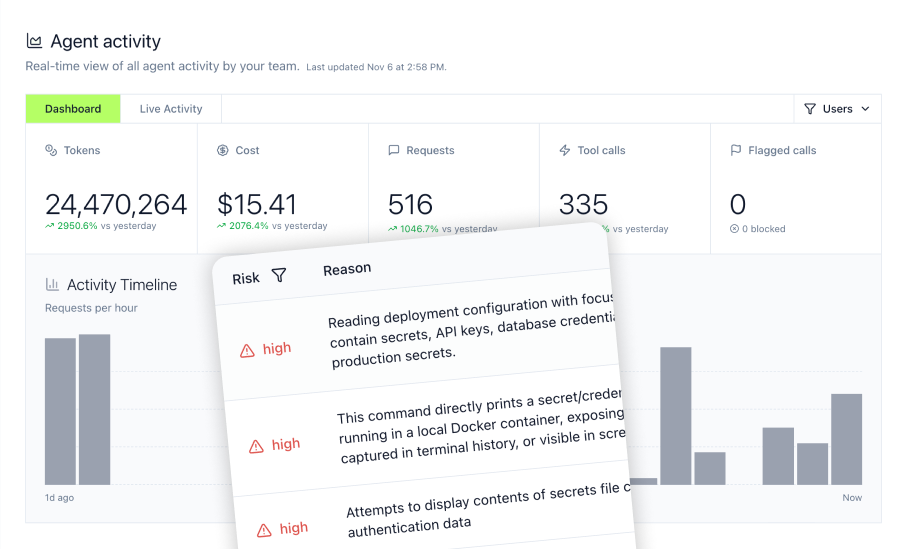
Mintive's activity log captures every React-to-MCP interaction:
- User who initiated each request from React app
- Tool called and arguments provided
- Response data and status codes
- Latency and performance metrics
- Error details for failed requests
Track these key metrics for healthy React MCP integration:
Request Performance
- Average response time per tool
- 95th percentile latency
- Timeout frequency
- Tool-specific performance patterns
Error Rates
- Failed requests by error type
- Authentication failures
- Rate limit hits
- Network connectivity issues
Usage Patterns
- Most frequently called tools
- Peak usage times
- Per-user request volumes
- Feature-specific tool usage
Setting up alerts for React applications
Configure proactive monitoring through Mintive's alerting system:
Application Health Alerts
- Elevated error rates indicating application issues
- Authentication failures suggesting credential problems
- Performance degradation beyond acceptable thresholds
- Unusual usage patterns indicating potential abuse
Security Alerts
- Failed authentication attempts exceeding threshold
- Access attempts to unauthorized tools
- Suspicious request patterns
- High-privilege operations requiring review
Mintive supports notification actions for real-time alerting when critical events occur.
Troubleshooting common React MCP integration issues
Connection and authentication problems
Issue: React App Cannot Connect to Virtual MCP Server
Symptoms: Connection timeouts, CORS errors, authentication failures
Solutions:
- Verify Virtual MCP URL is correct in environment variables
- Check CORS configuration allows your React app origin
- Ensure OAuth callback URL matches registered redirect URI
- Confirm user has permission to access Virtual MCP server
- Test connection from browser console to isolate client vs server issues
Issue: OAuth Flow Fails or Redirects Incorrectly
Symptoms: OAuth callback never completes, infinite redirect loops
Solutions:
- Verify callback route matches OAuth configuration exactly
- Check
onMcpAuthorization()is called in callback component - Ensure popup blocker is not preventing OAuth window
- Confirm OAuth app configuration in Mintive console
- Test with browser developer tools network tab to see redirect chain
Tool invocation failures
Issue: MCP Tool Calls Return Errors
Symptoms: Tool execution fails, permission denied errors, timeouts
Solutions:
- Verify tool exists in Virtual MCP server configuration
- Check user has permission to call specific tool
- Ensure tool arguments match expected schema
- Review Mintive activity log for detailed error messages
- Test tool directly in Mintive console to isolate React app issues
Issue: Tools Execute Slowly or Time Out
Symptoms: Long response times, timeout errors, poor user experience
Solutions:
- Implement proper loading states in React components
- Add request timeouts with sensible defaults
- Consider pagination for tools returning large datasets
- Review Mintive performance optimization
- Cache frequently accessed data at application level
Development and deployment issues
Issue: MCP Connection Works Locally But Fails in Production
Symptoms: Development works fine, production deployment cannot connect
Solutions:
- Ensure production environment variables are set correctly
- Verify production Virtual MCP URL is accessible from deployment network
- Check firewall rules allow outbound connections to Mintive
- Confirm production OAuth callback URL is registered
- Review production build settings preserve MCP client code
Issue: Hot Reload Breaks MCP Connection
Symptoms: MCP disconnects during development, requires page refresh
Solutions:
- Implement proper cleanup in useEffect hooks
- Handle reconnection logic in MCP context provider
- Use stable Virtual MCP URLs that persist across rebuilds
- Consider connection pooling for development environments
Why Mintive provides superior React MCP integration
While the use-mcp library handles client-side MCP connections, Mintive delivers the enterprise infrastructure required for production React applications.
One-Click gateway deployment
Unlike managing MCP servers manually, Mintive provides instant deployment with automatic security controls. React development teams deploy MCP connectors in minutes without managing container orchestration, load balancing, or high availability infrastructure.
Unified access control across React applications
Mintive's Virtual MCP architecture enables consistent tool governance across multiple React applications. Configure tool access once at the gateway level and automatically enforce policies across development, staging, and production environments.
Enterprise security and compliance
Pre-built SOC2 Type II certification with complete audit trails for compliance requirements. Mintive provides OAuth integration with existing identity providers, eliminating need to build custom compliance infrastructure.
Real-Time security controls
Block dangerous operations before they execute through gateway-level Agent Monitor rules. Create security policies that apply consistently across all React applications accessing MCP tools, preventing security incidents before they occur.
For React teams building production AI applications, Mintive transforms MCP from experimental technology into enterprise-ready infrastructure with security, compliance, and governance built in.
Frequently asked questions
Can React applications use stdio-based MCP servers?
No, STDIO-based MCP servers cannot run directly in browser environments. React applications require HTTP or SSE transport mechanisms that MCP servers can expose through proper hosting. Mintive's gateway architecture automatically handles this translation, allowing React apps to access any MCP server regardless of its native transport protocol. The gateway runs STDIO servers in managed infrastructure and exposes them over HTTP/SSE for browser compatibility.
How do we handle MCP authentication in client-side React code?
Never store MCP credentials directly in React applications. Instead, use OAuth 2.0 flows where Mintive manages the actual credentials. React apps authenticate users with corporate SSO, and Mintive issues short-lived tokens for MCP access. The use-mcp library handles the OAuth dance automatically through popup windows or redirects. For development, use environment-specific Virtual MCP URLs that point to appropriately scoped connectors. This approach ensures credentials never appear in client-side code or browser storage.
What's the recommended deployment architecture for React apps with MCP integration?
Deploy React applications using standard web hosting (Vercel, Netlify, AWS S3/CloudFront) while Mintive hosts your MCP infrastructure separately. This separation provides several benefits: React app deployments remain simple and don't require MCP server management, MCP servers can be updated without React app redeployment, different teams can manage frontend and MCP infrastructure independently, and geographic distribution becomes straightforward with Mintive's infrastructure. For Next.js applications with server-side rendering, you can optionally run MCP connectors in the same Next.js deployment, but this creates tighter coupling and loses centralized governance benefits.
How do we prevent React apps from calling unauthorized MCP tools?
Implement tool governance at the gateway level using Virtual MCP servers with curated tool collections. Each Virtual MCP server exposes only the tools appropriate for specific React application features or user roles. Configure your React app to use different Virtual MCP URLs based on authenticated user permissions. Mintive enforces authorization at request time, preventing tool calls even if a user attempts to call unauthorized tools directly. Combine this with Agent Monitor rules that block specific operations based on arguments or context, creating defense-in-depth protection against unauthorized access.
What about performance and latency for React apps accessing MCP tools?
MCP tool calls introduce network latency that React applications must handle appropriately. Implement optimistic UI updates where possible, showing immediate feedback while tool execution happens in background. Use React Suspense for data fetching with MCP tools to maintain responsive interfaces. Consider caching frequently accessed data at the application level to reduce redundant tool calls. Mintive's gateway infrastructure is optimized for low latency, but expensive MCP operations should be triggered deliberately rather than on every render. Monitor performance through Mintive's activity log and optimize high-latency tool calls by adjusting MCP server implementations or caching strategies.